MASSIVE REGRESSION in new UI

Hi,
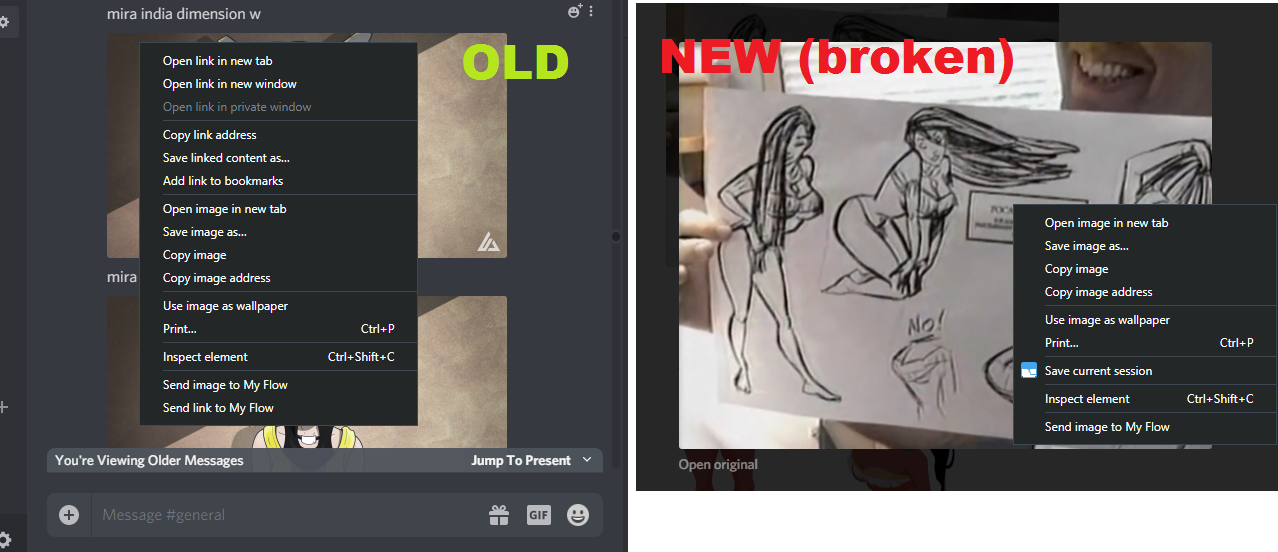
After refreshing the web app, which seems to have added the small emoji reaction menu when scrolling over a post, I can no linger right click on images. In discord windows where I have not refreshed (still running the older version of the webpage) I can right click to get a regular browser menu with "open link in new tab", "ope link in new browser window", "copy link address", etc.
These options are indispensable on servers where a lot of images and artwork are shard, making this a MASSIVE regression. The lack of these options makes it IMPOSSIBLE to view directly uploaded images at their original resolution.
Right now you can click on the image and then right click to get a different menu ("open image in new tab", "save image as...","copy image", "copy image address") all of which refer to discord's scaled down version of the image, not the uploaded original. This does not solve the issue at all.
Please fix this as soon as possible.
Thanks,
-Matt
-
Oh, another regression: Did you notice the latest UI update removed the ability to "retry" messages that failed to send?
Now there's only a little trashbin icon for "delete"
3 -

Regarding the primary complaint, for now try shift+right-click. This is the browser's override combination, and should work to bring up a standard browser menu in any website.
1 -
Sadly this doesn't work in my browser. Overall, this new UI is a colossal waste of time for any image-heavy server.
0 -

Matt, to save the proper image, you could right-click on the "open original" text below the image and choose save as. actually, open original in new tab is what the "open original" link below the image does, so it is an improvement that you no longer need the browser's context menu for that at all, I would think.
What you describe as having worked before, relied on the fact that each image is displayed as a scaled-down original, which means on image-heavy channels, that all images are fetched high-res just to show them small in the channel. This is much worse for bandwidth and performance than only downloading a scaled-down image as a preview, so I think this is an improvement for sure.
0
Bitte melden Sie sich an, um einen Kommentar zu hinterlassen.
Kommentare
4 Kommentare