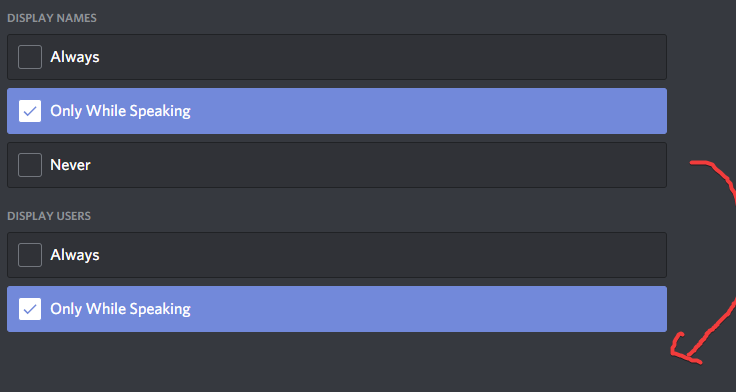
Can we have a "never" options on display users with the overlay please?

I apologise if this has been posted a number of times before but I've got a new headset and its all good except that discord is picking up sound from my mic from time to time making the green circle pop up on the top left screen when no one can hear anything coming from my mic, i've mixed up my mic sensitivity from -80db to -70db and its still there. It's very distracting when playing a game and tried all the options to hide it but I can't as there is no "never" option for "display users" when there really should be. I don't want to disable the overlay as its useful for when people message on my server but from this distracting icon with no way to fully disable it, it looks like I have to until an option for me to disable it comes true.
Please sign in to leave a comment.
Comments
0 comments