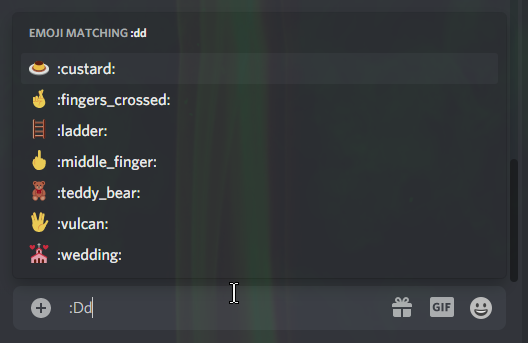
Disable "emoji matching" -popup when typing e.g. ":Dd" so :custard: won't be said (Emoji autocomplete feature)

Even if you have disabled the following setting; "Automatically convert emoticons in your messages to emoji" in "App Settings" -> "Text & Images"...
...Typing ":Dd" & hitting [enter] doesn't result in ":Dd" - but rather :custard:, because Discord has this automatic pop-up (Emoji auto-complete feature) called "emoji matching" - which is ruining everything!
Having to manually press [space] (to cancel the popup) is very inconvenient...
-

:DD
please discord
3 -

+1
1 -

🖐️
1 -

No more custard food; more flustered food!
I'm in 👉👈2 -

This happens for many other things as I'm sure y'all know.
when someone says "I got a new job today!" and I respond :OOO , I get an autofill for some emoji I don't even own. Me, not needing emoji suggestions, find this annoying since I have to type space every time I want to be excessive.
Others like:
:PP
:cc
etc..2 -

True, it's a bit annoying lol
0
Please sign in to leave a comment.
Comments
6 comments