Suggestion to prevent accidental Channel/Category Dragging

I do personally run a decently big server and I have the tendency to accidentally slip my finger and drag a channel/category. It can be pretty bad especially if you have sensitive channels like Staff Channels, Mod Logs etc. especially if they do sync, it means that everyone can view/send message on the channel.
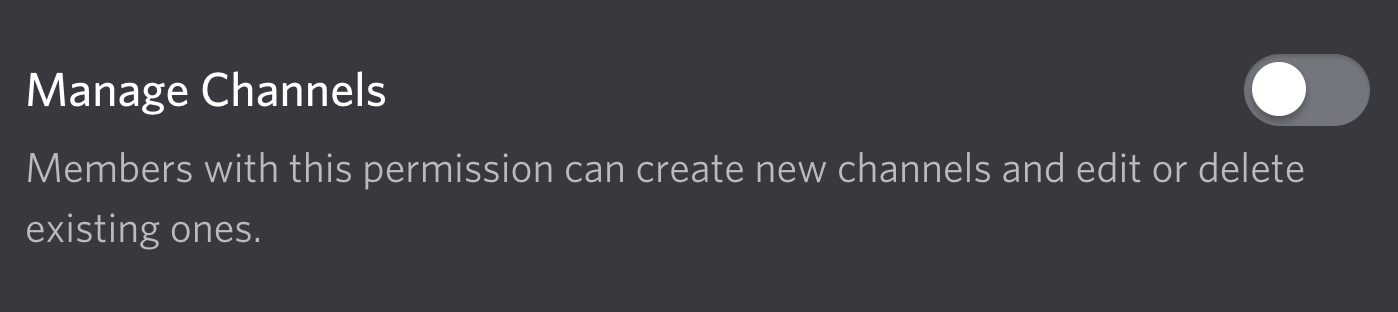
Again, modification of channels are only done with at least the "MANAGE_CHANNELS" permission if granted to a role.
To prevent this kind of dragging, I suggest to add either a lock channels button to lock the channels/categories in place (to prevent dragging) or add a delay with loading circle (about 3-5 secs) before the dragging occurs.
-

loading circle. bruh. assassins creed
https://support.discordapp.com/hc/en-us/community/posts/360032417112-Suggestion-Lock-channel-positions
^ mega duplicate-2 -
Because you said Mega Duplicate, I don't really think it is a mega duplicate post. That post was made a year ago so its fair to say that this post is good (bump I guess?) for the Developers to consider this feature added.
Assassins Creed? don't know why you're bringing the game into this, very off topic.
0 -
Your idea of a loading circle as a delay for channel moving reminded me of the latest Assassin Creed releases, where you would have to hold the select button on specific options for a certain amount of time, which is displayed by something of a loading circle on your cursor, before it registers the selection. I just had to mention it as reference for the detail, yet it was supposed to be a subtle enough to not interfere with the topic.
Posts that were made a long time ago still will be viewed if the thread was bumped with a comment instead of the topic being bumped with a whole new post. It is sure a mega duplicate as its the same feature suggestion, just with an extra detail suggestion for said suggested feature.
While I am mainly here to defend myself as of current, I will still mention that I wholeheartedly support this suggested feature, hence why you have my upvote. But I had originally commented only to reference the already existing post, as that also needs attention. My friend, I will thank you for this conversation, but I will not be downvoting any of your comments.
Sincerely, thank you.0
Please sign in to leave a comment.
Comments
3 comments