Bug: selected server and unread dot not showing in fullscreen

Hi,
Since the last (few) updates, I can't see the big white bar showing what server I am watching, or the small dot showing which server has unread message. If I take it off from full screen mode, it shows.

This is my secondary monitor, 1920*1080 res, 100% zoom, HDMI (so no issue with VGA-offset), it's set up to the left of my main screen. Drivers up to date.
-

I have the same issue since a few days.
When in fullscreen and only when in fullscreen neither the bar or the dots show.
It's a 1920*1080 screen on 100% zoom, HDMI. Also setup as a second screen to the right of my main screen. The main screen has a 4k resolution.
If i go into fullscreen on the mainscreen the markers show.
Hope you can figure this out and fix it.
Not in fullscreen
In Fullscreen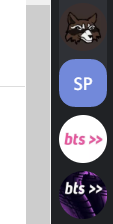
EDIT:
After a little for playing around with it it seems the markers disappear when the screen it's on is at 100%. When i set my mainscreen to 100% they don't show on that either.0 -

I have the same issue. When discord is on my second monitor the window seems to extend past the screen.
0 -

Bug reports do not belong here! It's not a forum, it's a place for suggestions
please read this
https://support.discordapp.com/hc/en-us/articles/115000465492-How-to-Report-Bugs
-1 -

minimize the screen then go back i fullscreen you gotta drag it to the right or make the window smaller then go back to fullscreen it worked for mr
0 -

Hello, this is your helpful light! Try minimizing the screen (Take your mouse and drag the top and side of discord to the center of the application to make it smaller) And it should show you the white markers. If you want this to work in full screen, just click the full screen button, and you're good to go! Sorry this is 9 months late but this should be helpful to newer people coming here!
0 -
Hi,
Thanks, the bug was fixed with the latest big update a few weeks ago, so this thread is now obsolete :)
Noru
-2 -

E lool, I have the exact opposite if its fullscreen it shows if its not fullscreen its gone :rofl:
0 -

Yep, noticing it here too.
chrome + linux (all latest versions ~~I use arch btw~~)
0 -

Bump this shit left be going crazy thinking my shi is broken.
0 -
Well well well. I found my problem. It was a vga cable issue.
0 -

how does one fix this problem though. so that it still shows up when in full screen. because reading a minimized screen annoys me, but so does not being able to see where i have unread messages
0
Please sign in to leave a comment.
Comments
11 comments