Hyperlinkable channel category

we have a list of channels specifically set for "looking for group, further categorized by system type (PC, PSN, Switch, Xbox, etc). It would be helpful to be able to link the whole category.
1
-
In Discord, you can create a category for your "Looking for Group" channels, further categorized by system type (PC, PSN, Switch, Xbox, etc.). To link the entire category, simply right-click on the category name, select "Copy Category ID," and then use that ID to create a hyperlink to the category. This way, users can easily access the entire category with just one link.
-1 -
desktop app does not have this option.
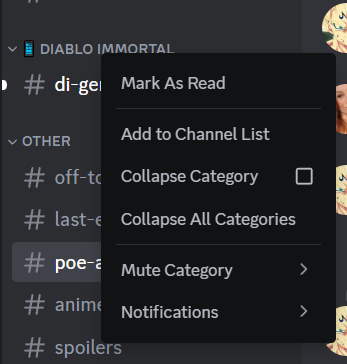 1
1
Iniciar sesión para dejar un comentario.
Comentarios
2 comentarios