Server Event Cover Image: Incorrect Cropping

When you create a server event and add a cover image to it,
it says you should upload one with a width of at least 800px and a height of at least 400px.
I uploaded such picture and looked at the event preview, and it looked as expected.
But after creating the event, the image was heavily cropped towards the center.
I fixed this issue by uploading a 800x800px image with the content being
in the 800x400 centered space.
I believe Discord cropped the image incorrectly.
-

I also experience this issue. A crop preview should be applied so that users can decide what gets cropped.
3 -

I've experienced the same issue. Also, the recommended aspect ratio is 2:1 but the using aspect ratio is different.
1 -
Here is what happened. I added the rulers to understand the crop.

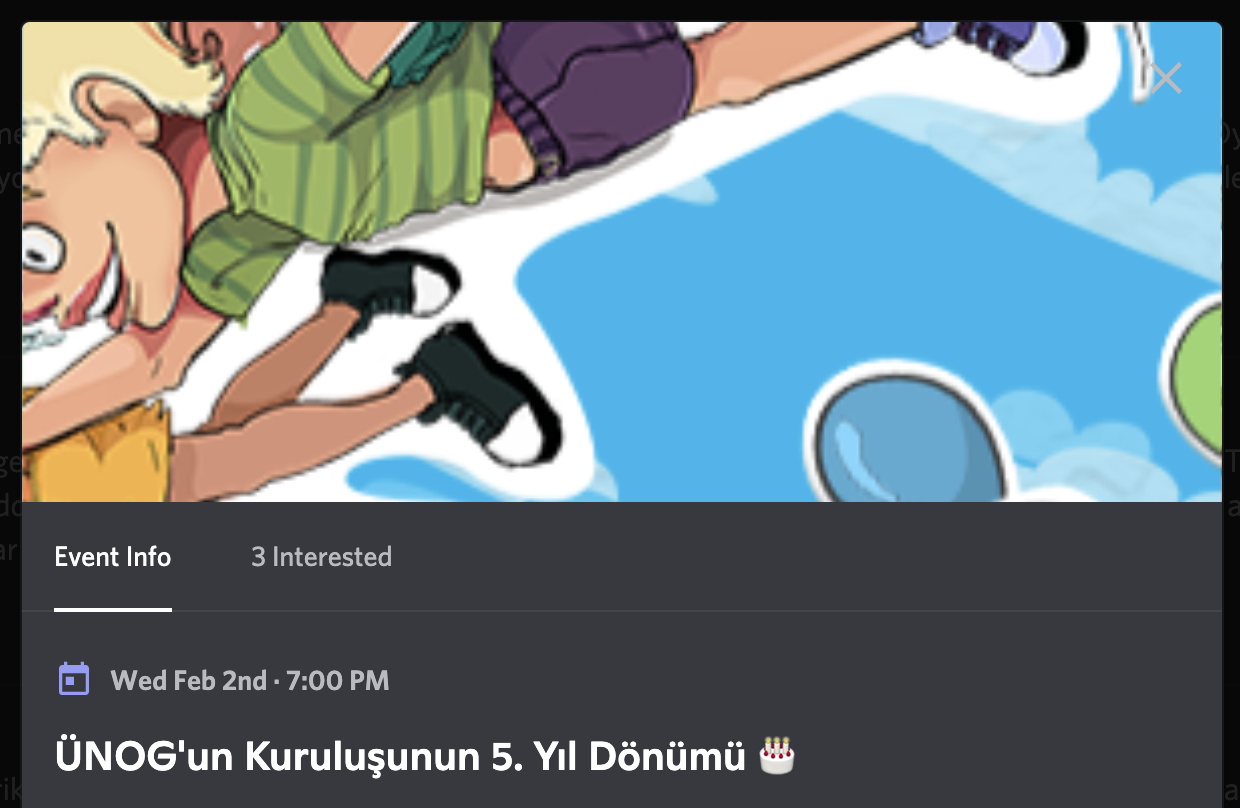 2
2 -


Same for me
1 -
I've succeeded to make it proper by fitting the rulers I sent above.
Input:

Result:
 1
1 -
sirjoan620, what is the size of original image to fit the cover?
0 -

I can also confirm this issue to be the case for myself.
Having uploaded an image of the recommended dimensions, the focal point of the image is offset terribly.
 0
0 -

I've also noticed this issue on all the event covers i've uploaded so far.
0 -
Upload 800x800 image and the visible part will be centered and 800x367
0 -

 0
0 -

+1, just ran into this.
Looks like 880x352 doesn't result in cropping (2.5:1)
0
Iniciar sesión para dejar un comentario.
Comentarios
11 comentarios