Screen-share Background Tile vs Profile Background

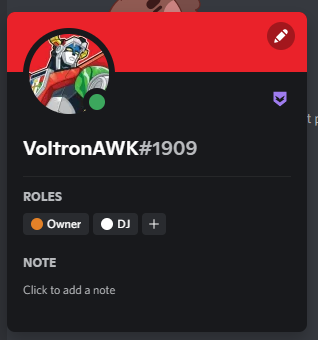
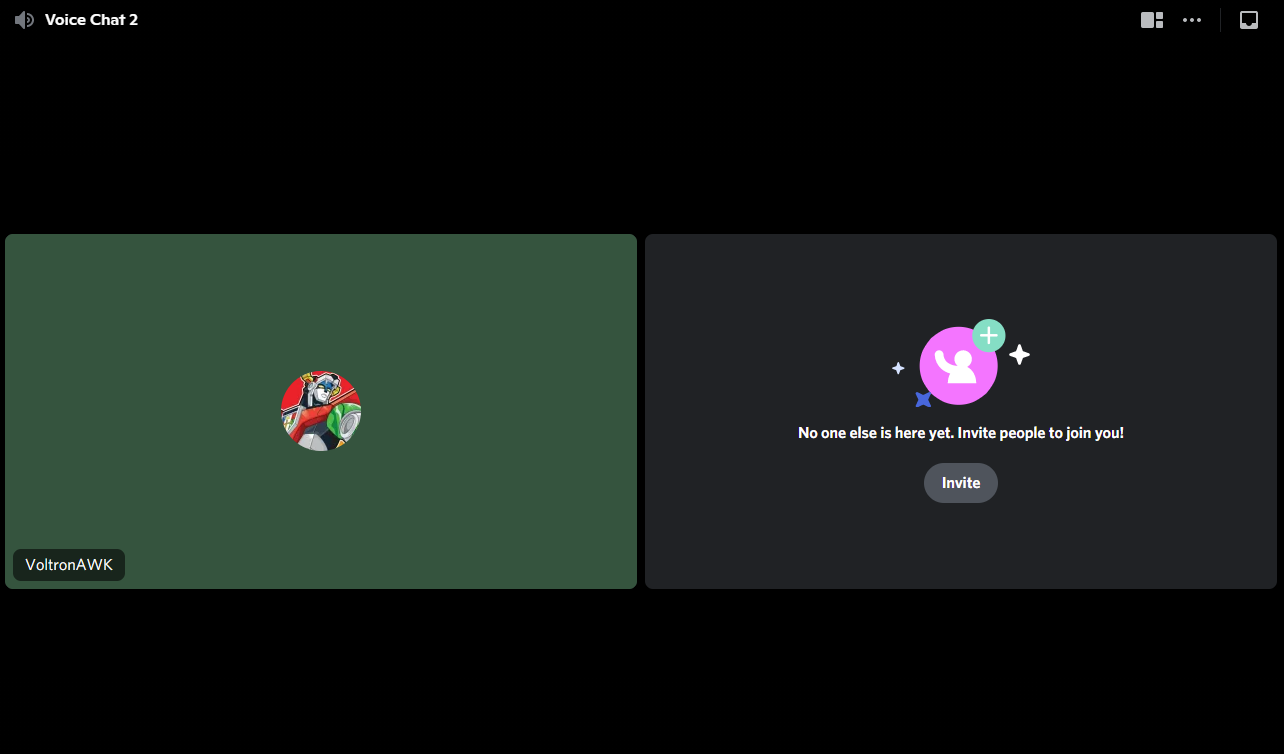
So currently we can set the color for our profile backgrounds (as shown in picture one; I have mine set to the same red as Voltron's background) but this does not affect our "screen-share tile" while focused on a voice channel/viewing all present users (as shown in picture two where my "tile" is a green found somewhere else on the image). It would be nice if it changed alongside your profile color or ideally, have its own selection tool. In the past, my profile picture in a call was able to blend in with my tile color creating a cool effect but with the current system it is hard to line up/discern what color your tile will be. A tool similar to the profile color tool would be helpful or at least a box allowing users whether to use the default color or the manually selected profile color.
Cheers!
Iniciar sesión para dejar un comentario.
Comentarios
0 comentarios