UserProfilesLinks

-

Discord allows About Me and headers (for Nitro users) now, having a direct link to your profile in addition to this update would be great!
2 -

Bump. How is this not a thing yet?
0 -

But we have the direct link , a guy already answered .https://discordapp.com/users/<your id>
Simply replace <Your id > with your id that you can copy in developers mode simple as that-1 -

Okay SJ, except I've had that very link not work only to have it work randomly later. It seems intermittent, either because of sharding(load balancing) or because of some kind of backend server-to-server connection going sideways. I'm not saying it doesn't work entirely but it also loads the whole website where you could load something akin to a certain streaming platform's Viewercard system, or even a JSON endpoint. In the long run it doesn't matter to the user, or third-party dev, as to why it doesn't work all the time. Also not sure if it's related but I've seen a
<@99839741427453952>
user snowflake not resolve to a user on the Linux Client as well as the web client.
Also, I'm a woman if you meant me too SJ.0 -

SJ, here's that link with my ID number. Please post a screenshot of my profile to confirm that you can view my profile without sharing any servers with me.
3 -
I mean just to help contribute I'll go first and post mine for you JoeSondow https://imgur.com/gallery/rPVvduM
1 -
Yeah, same result as earlier in this thread. The user ID links don’t work if you don’t already share a server with that user. That’s the problem this thread is asking Discord to change.
3 -

If they can make them work when there's a mutual server, they should be able to make them work without one. I can't understand why they're dragging their feet so much over this. It's something people want, it's incredibly helpful, and should take almost no effort to implement.
1 -
JoeSondow , yea didnt worked , ig it needs a fix
0 -

I'm late to the party, but BUMP!
0 -

Still not availble? Man...
0 -

i think this exists now? if you click the friends screen on mobile the top choice is to get a link to add friends. if someone clicks on it then it creates a friend request between you
0 -

I don't see this option in version 88.14 of the Android app:
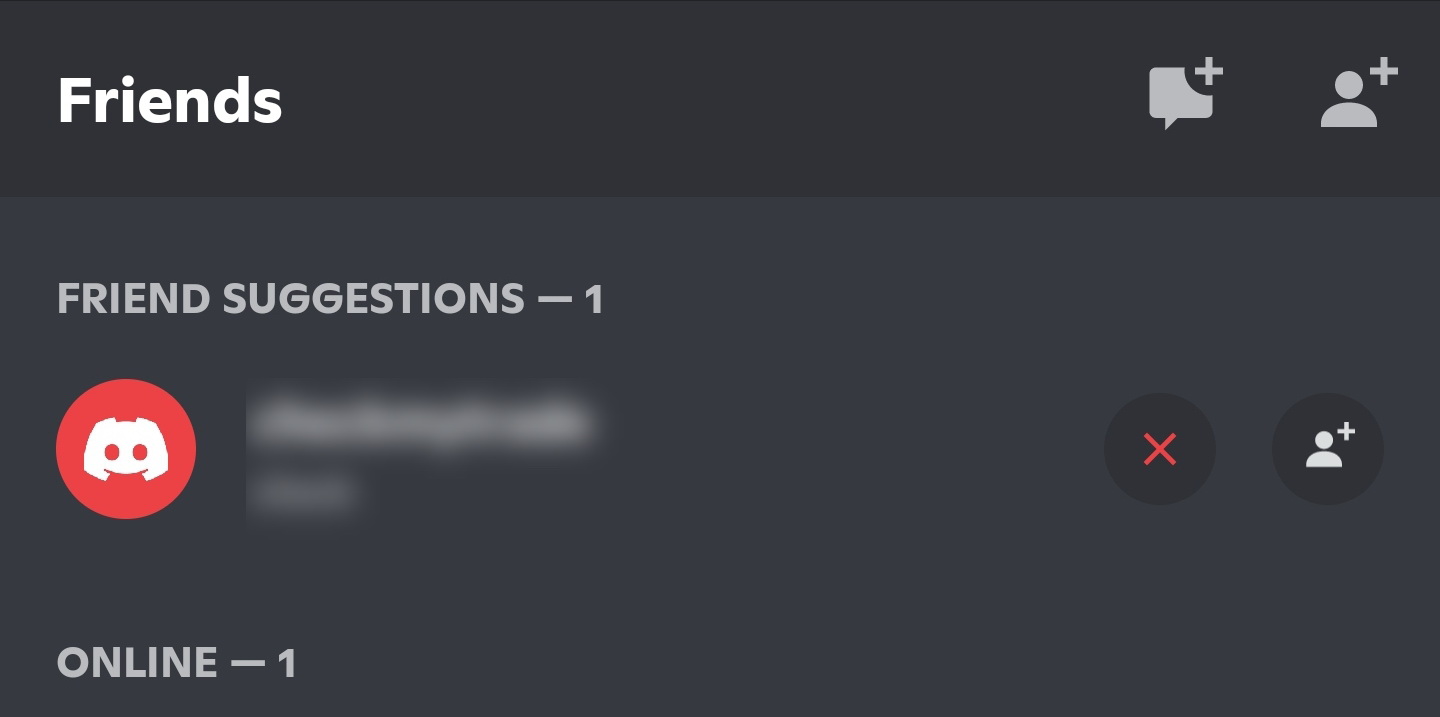
Which mobile client are you using?
– Dave
0 -
dave, i’m on 87.0 iphone
0 -

My partner has the same version on iPhone but the only thing they're able to share is a message that links discord's website and has their username written out- it's not a link. Idk if that's the same thing you're looking at or not?
 1
1 -

+1
0 -

This feature would be really helpful , users can share links to their profiles , and the user who is going to the profile can easily chat with the other person , add him as a friend etc.
Bump !
0 -

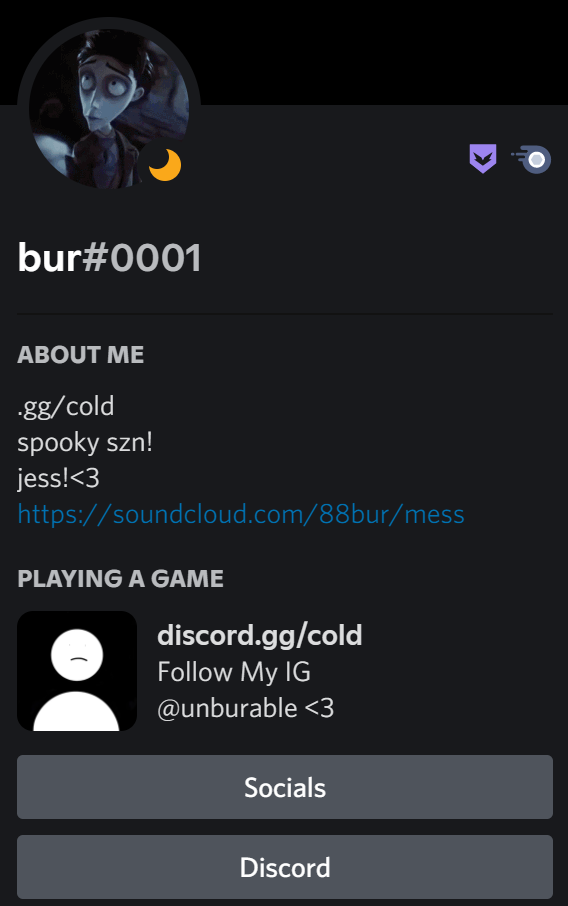
I found this on someone's profile when clicking on it, it would direct to their discord or a site leading to a get to know me card. Is this what you guys are talking about?
0 -
Yes, I've seen sharing of a Discord server as an alternative/workaround to sharing a link to a specific User Profile. Once you're a member of a common server, it's easy to reach out to the Discord user and send them a DM or friend request.
0 -

Would like to hear Discord’s point on why such a link is not available. Is there a reason?
Otherwise, I agree with how the use case has been described here: https://support.discord.com/hc/en-us/community/posts/360041519131/comments/360012387592
0 -

Bump plz
0 -

^That's a profile page of a sort yknow.
It's more like a directory but Discord still doesn't have this feature.
BUMP
P.S. I guess the link to my Discord support profile is a link too lmao. I'll just use that and add my ID to its description.0 -

bump.
0 -

In case someone (or future me) comes looking:
- Settings > Advanced > Developer Mode [ON]
- Go to a chat with your message
- Right-click on your profile picture beside your message
- Copy ID
- Your profile URL will thus be:
https://discord.com/users/profile_id
where `profile_id` is the part you just copied
-2 -
@cybardev that link only works if you are already personally connected to the person. That's the problem this feature request is meant to fix.
Here's my link following your instructions. If you can show me a screenshot of my profile I'll be delighted that they've fixed the problem.
1 -
bump
2 -

This is already exist, look my profile: discord:/users/706943179311808512
(Open this on a new page)
(It's necessary to have the Discord Desktop App)
(sry for my bad english)
0 -
@Karthon that link only works if you already have a connection to that user. It is not public to all users like a conventional user profile. The feature request is to make a public profile page that does not require any server connection or friendship for someone to view the profile contents.
0 -
Thank you for bringing up the topic . It's indeed an area many in the community are keenly interested in. For those looking for updates or further information, you might find the "SASSA Status Check" useful. Check it out SASSA. Let's hope for more advancements in this area soon!
0

Vous devez vous connecter pour laisser un commentaire.
Commentaires
158 commentaires