Link my GitHub page's domain to the Discord "Connections"

I'm using a website on GitHub pages, the url follows:
https://[github_author].github.io/[repo_url]/index.html
I'm not able to link my GitHub page website to the Discord "Connections" (file method).
I suggest that you let us choose the path where we want Discord to locate the file:
/.well-known/discord
Thanks.
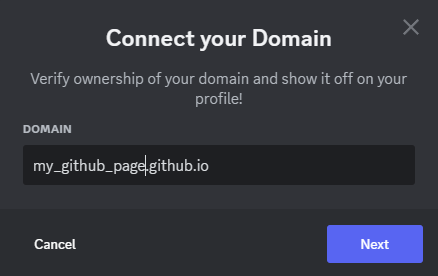
-

DNS verification sounds unable to do already.
Well, I have the same problem though. The thing is can you access the
your-url.tld/.well-known/discordfile when trying from your browser.In this case, Discord seems to not be able to look for the said file on your GitHub repo. It may be found on your repo but GitHub Pages won't put it on the interwebz. Yep, I tried it but Discord could never do it.
I understand this but dunno how to fix though (suggestion post? yes I need that). Maybe try another hosting services or something.
P/S: maybe GitHub won't recognise your folder if it has dot/period before its name. By default it's hidden or something, so you will be hit with a 404 page.
-1 -

im also having this problem, is there a solution?
-1 -
Priyansh Ty, I cannot test it anymore because since then I bough my own domain name and connected it to my Discord account, but it's true that I didn't think about this solution. Sounds nice!
0 -

Priyansh, I tried that but it didn't work. It said “Unable to validate domain”.
0
कृपया टिप्पणी करने के लिए साइन इन करें करें.
टिप्पणियां
4 टिप्पणियां