Discord Community Programs Information

Discord Community Programs
Hey there,
I'm moki! Today i want to post something that has been talked here and in many places a lot! Discord Community Programs. Theres a lot of community program on Discord, I'm doing this beause most resorces is outdated. Lets view them!
- HypeSquad program
- Partners program
- Moderator program
- Discord testers/bug hunters
- Verified server program
- Admin Community
HypeSquad
HypeSquad is a event to make discord more poppular around internet. Theres 3 levels in this program.
- HypeSquad Online member
- HypeSquad event attendé
- HypeSquad event coordinator
HypeSquad Online Member
HypeSquad event member is easy! Go to account settings, find HypeSquad and take the test. You will be signed to one of the 3 houses!
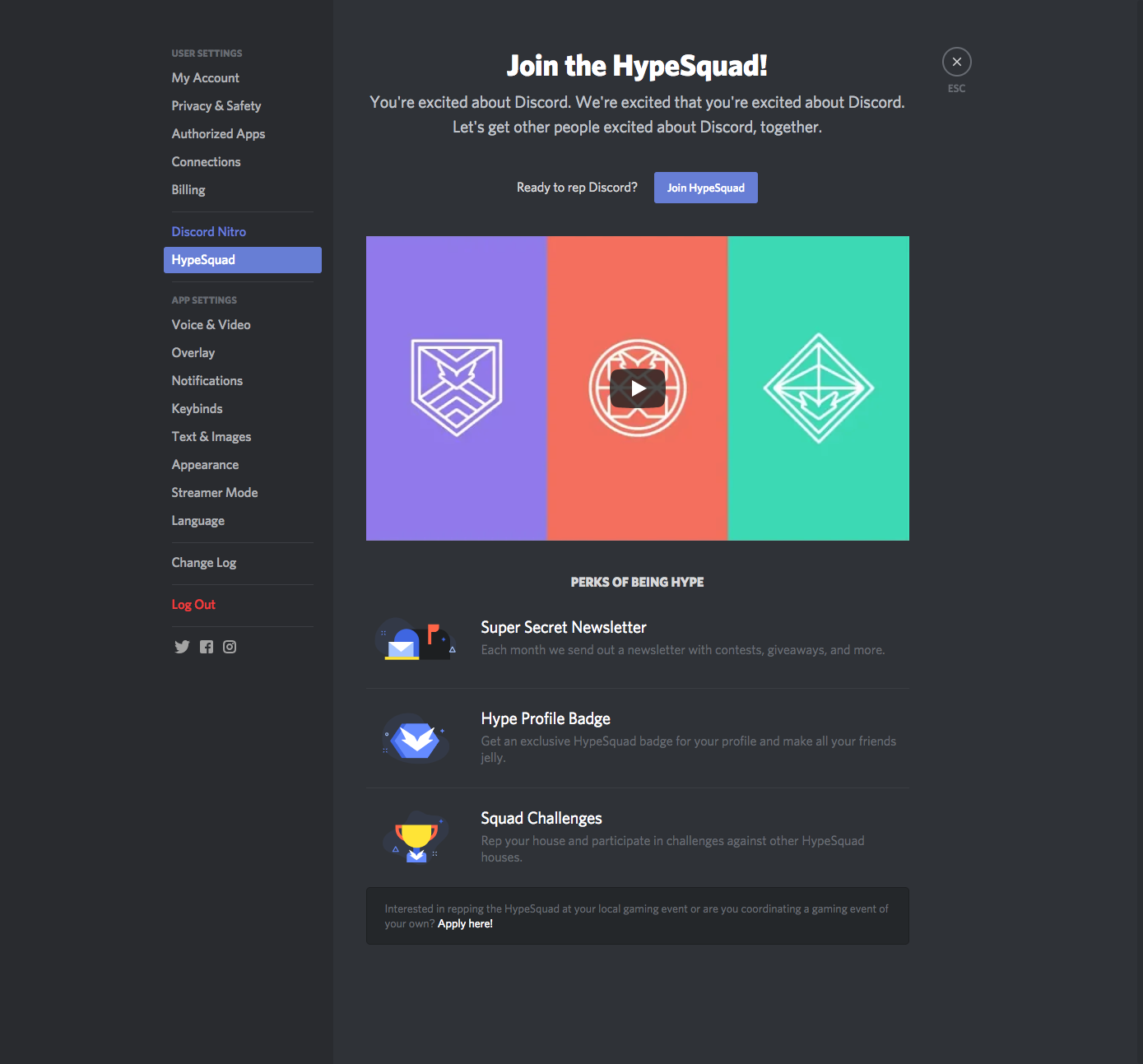
As you can see, its gives a shiny profile badge, Super secret newletter and more! Sadly at the time program is abondend and only “profile badge” is working as perks.
HypeSquad Event Attendé & Event coordinator
People who attend local HypeSquad events recieved this, people in this level get rewarded with HypeSquad events server, and and a cool badge!
Note: HypeSquad event server is deleted. And program is shut down beacuse Discord is very poppular now. You cannot apply to this anymore.

Partners Program
This program is given to people with amazing communities as a reward! You were able to recieve cool Discord merch, shirt, a partner badge and acsess to Discord partners server. Everyone was able to apply this after doing some requirements.

Note: Beacuse of people who created servers just badge, and abused the program, you cannot apply for partners program anymore.
Discord Moderator Program
Discord Moderator program is a set of servers and articles. Lets start our journey with Discord Moderator Discord, formerly known as DMD.
Discord Moderator Discord is a server/program for 18 or 18+ Moderators to join, you can join this via get selected by discord or pass the Moderator exam. And as for Moderator Mentorship Community, formerly known as MMC. Its a under 18 variant of Discord Moderator Discord.
So far we know the servers, but what these guys do? For Discord Moderator Discord members, some of them write articles for Discord Moderator Academy, become mentors for MMC, and trained to be a super-level moderators with making many friendships and connections. As for Moderator Mentorship Community members, as young mods they spend time with mentors, learn new ways in moderation, made connections and learn about the Moderator ecosystem.
Now lets answer one of the biggest questions, what is Discord Moderator Alumni Badge? (Formerly known as Certified Moderator Badge.)

This badge was Certified Moderator Badge and only given to DMD members until Closing of programs, at closing of DMD,MMC and other sub-servers as Discord Developer Discord, badge evolved to Moderator Alumni Badge and given to anyone who participate in thoese programs.

Discord Testers
Discord Testers server is a private-server for the best bug hunter to submit very high quality bugs. They get rewards and test newest features before anyone have acsess.
Dtesters makes member waves time to time, so keep an eye on offical bugs article.

People who reported a lot of bugs also recieved bug hunter badges as a reward.
Verified server program
Verified server program is basicly given to servers that owned by a local icon, company etc. To show that its the Real/true place.
Verified server program is currently unavaible.

Discord Admin Community
This server allows Discord to chat with admins, moderators, content creators, and server owners who manage a server with Community Settings enabled.
Here you can learn more about features, use best practices, and meet other members who want to improve their communities! You need to have requirements to join this server.
What is the requirements?
- Have at least 1,000 members on your server
- Have at least a 60% monthly member retention rate
- Your server must be at least 3 months old
- Enable Community Settings on your server
To join,
Access Discord on the desktop/browser app
Go to your server’s Server Settings
Select Overview in the Community section
Press on Join Discord's Admins Server

And this is all! Enjoy.
Resources used here:
Discord Articles
Moki's Home Discord server
Yorum yazmak için lütfen oturum açın.
Yorumlar
0 yorum