Microphone unusable in Discord desktop - Work's perfectly on web app.

Hi there,
I have this really odd issue with any Microphone I use the discord desktop application. My built-in laptop mic and my headset microphone quality are appalling when using the discord desktop app.
It's so bad to the point I cannot talk to friends as they do not understand what I am saying. Every second word is cut out.
I have tested both microphones on the Windows voice recorder, Microsoft teams, zoom and they work perfectly, loud and clear.
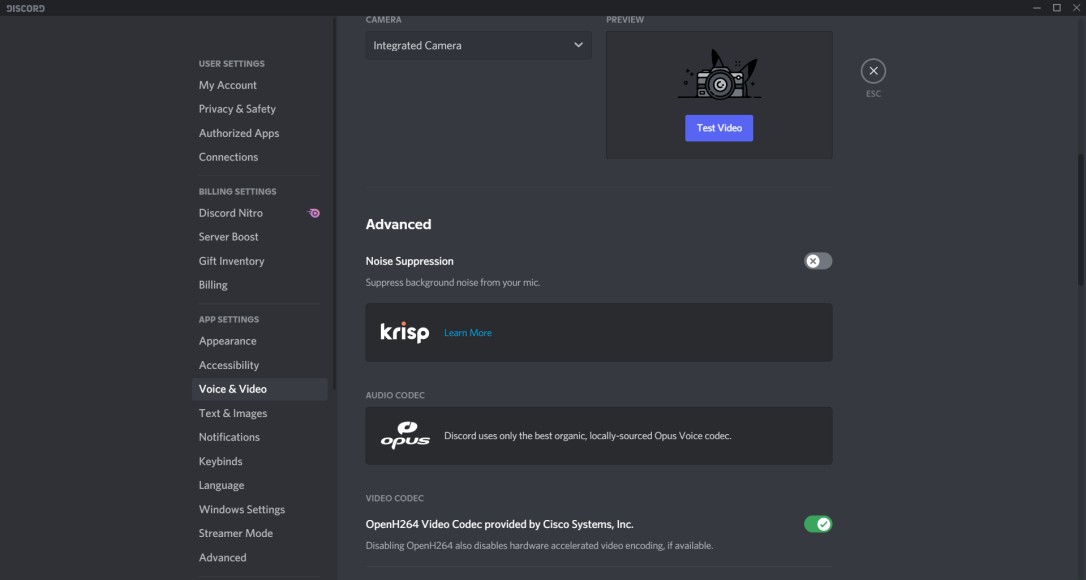
Initially, I thought this would be due to a conflict with noise suppression, however, I turned off Krisp, uninstalled Logitech G-Hub (I have a Logitech headset) but still, the problem persists.
I started changing each individual setting in discord and thought I was onto something as I was able to make it much clearer, however the next time I booted up my laptop using the same discord settings the problem was back.
Now the strangest part of this all is that when I use the discord web app, my microphone works perfectly. I've even installed Nvidia Broadcast for noise suppression and it works to perfection.
This issue only occurs with the desktop app. I have uninstalled, cleaned the drive of any leftover folders, and re-installed but still, the problem exists in the desktop app.
Here are the settings I had when it was working for a few hours:



Yorum yazmak için lütfen oturum açın.
Yorumlar
0 yorum