Pixiv embeds cut image previews, compared to other image embeds

As previously mentioned in this post from February 2020 and this post from September 2020, the Pixiv embeds function a little bit differently compared to other image embeds. Namely, Pixiv embeds will cut out whatever that can't fit in the top part of the image that is previewed in the embed, whereas, no matter how tall, wide, or detailed the image is, embeds from sources like Imgur and Twitter will always preview the entire image.
Example: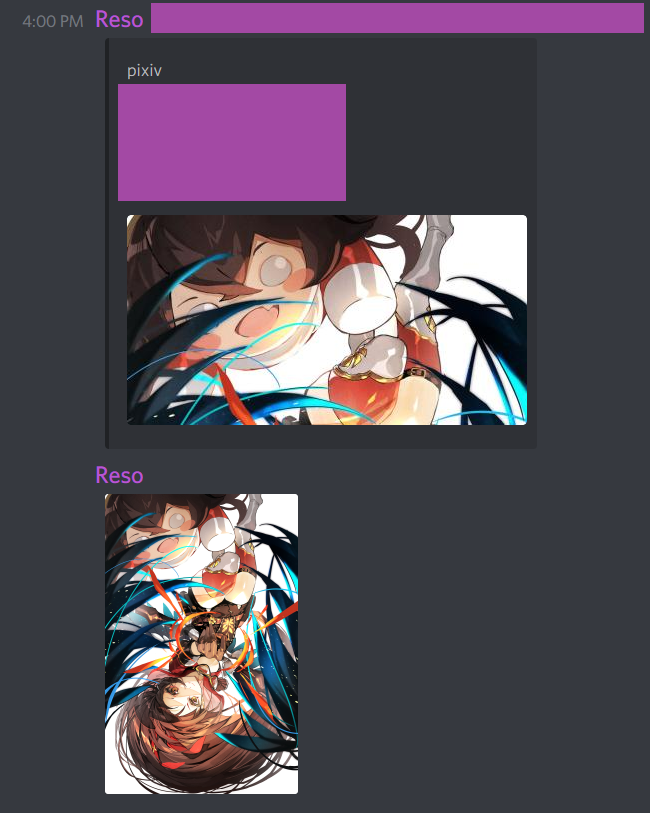
(forgive me for the anime aesthetic for those that don't care for that sort of thing)
Here, you can clearly see that whatever doesn't fit the frame for the Pixiv embed is cut out. For context, the dimensions of the original image are 3224 x 5016.
But the Twitter embeds do not cut their images (tall image is 92 x 2048, and wide image is 4096 x 1192):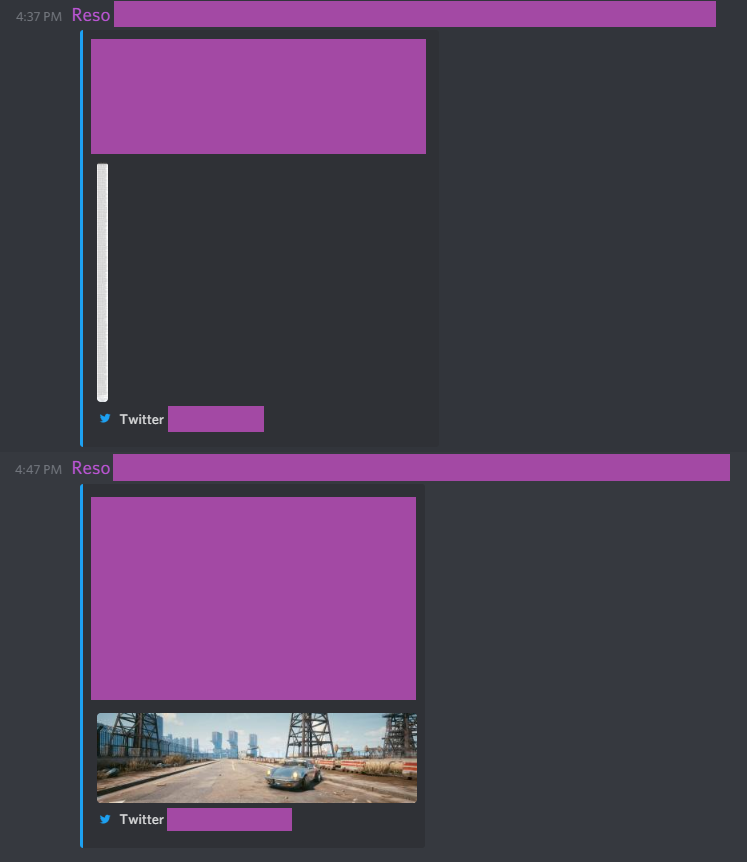
Nor do the Imgur embeds (tall is 1600 x 10000, and wide is 5120 x 1440):
If file size was the issue preventing the Pixiv embed from being implemented in the same way the Twitter and Imgur embeds have been documented here to work (because the original image from Pixiv is roughly 18-19 MB, compared to what was available on Imgur and Twitter, which hovers around the 1-3 MB range), a user could copy and paste the preview image from Pixiv (the preview image in this example was 772 x 1200 and about 2 MB), and then also post the link to the image (which would result in a double-post scenario) or post the link to the artist (though the embed could be extremely long for some artists and just push the art in question out of view).
Assuming file size is the core issue, would it be possible for Discord to pull the preview image from Pixiv instead, so the embed doesn't have to cut the image?
I just honestly want some consistency between these image embeds (though trying to source an artist without doing some extra work is also an admirable cause).
-

I hard second this, I have pretty bad internet here (1mbps give or take on both upload and download) and when I want to share cool art I found on pixiv, I'll need to copy the image itself, and then manually post it onto wherever I wanted to post it to, which takes a lot of time since I'll need to wait for the image to load completely, and then paste it onto discord and wait for it to finish uploading, which may also fail sometimes due to me uploading too many stuff at once or if it's just a bad internet day. All of this would be fixed if I could just copy the link and send it to discord, please fix this.
1 -

thirded, the embeds are wack
0
請登入寫評論。
評論
2 條評論