Hiding channels from higher roles.

-

You drag the role of VIPs higher than the member role and you make the role settings appear for the user. (By default the highest role that a user has, the user will be shown under that role if the option is set to on)
0 -
Following the last comment, to make a channel or category invisible, you must manually go into the category/channel settings and have the VIP role not show the channel.
0 -

Tentang aplikasi kucoin
0 -
CynaxGDC TTV this doesn't work. If the view channel setting is set to ✅ in the channel for Members, even though VIP is placed higher than Members and has ❌ for view channels, the role beneath is taking precedence. It appears that as long as one of the roles that a member has has the ✅ for view channel that the channel will be visible.
0 -
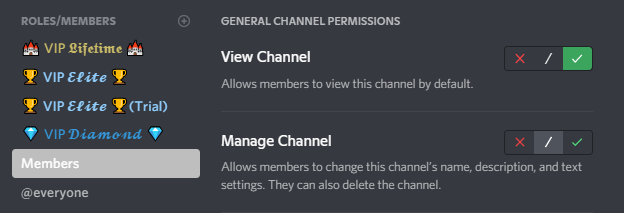
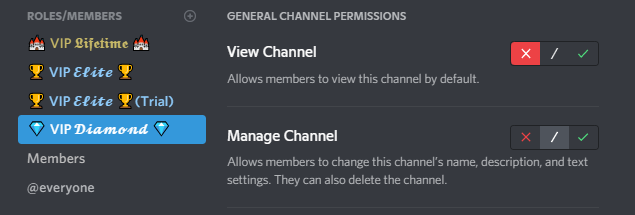
CynaxGDC TTV as you can see, the permissions are set to what you described, but the channel remains visible to VIP members since they also have the @Members role.
0
Please sign in to leave a comment.
Comments
5 comments