"Open" & "Solved" yet not a single reply

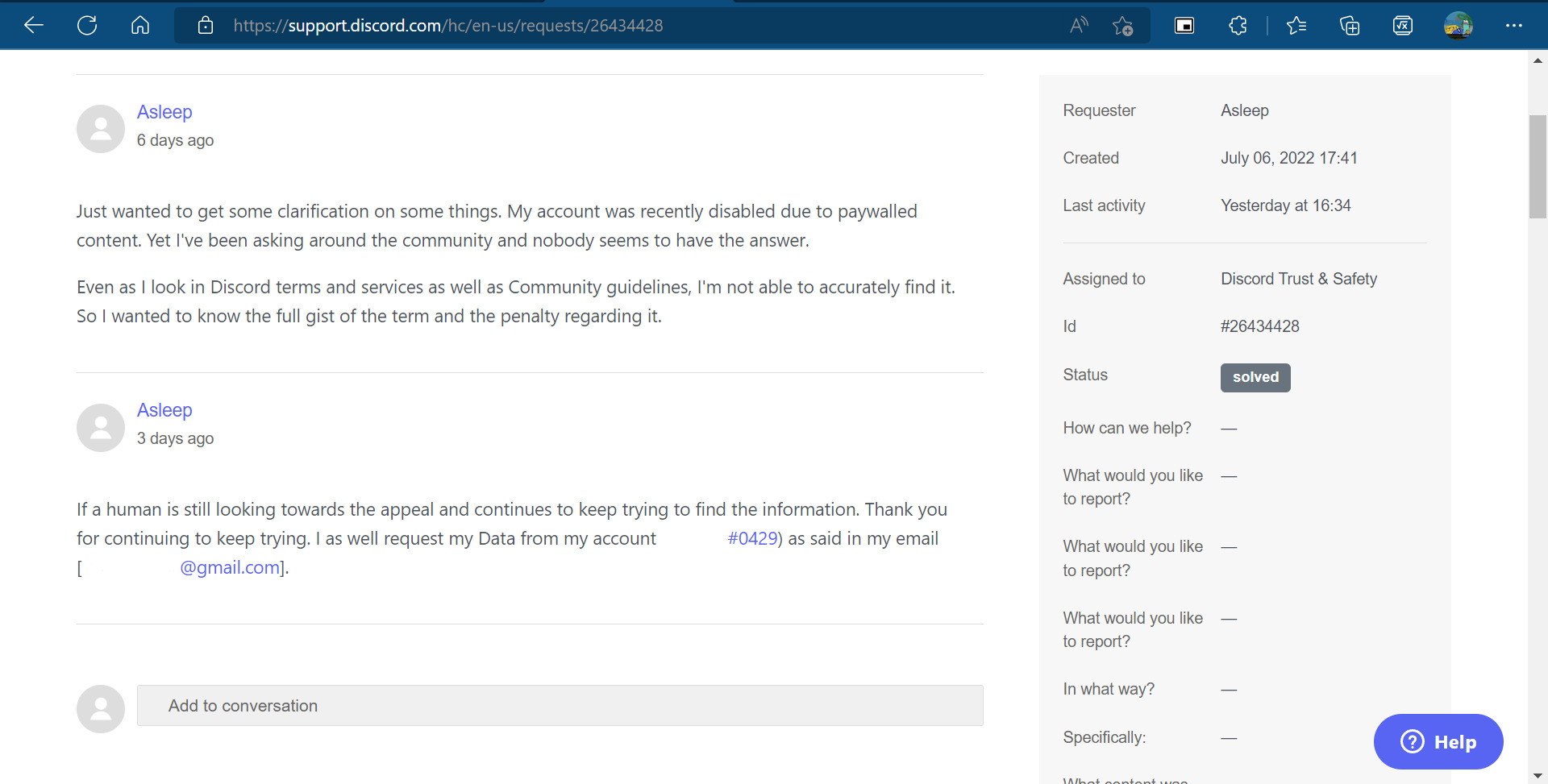
Full context: I created a ticket surrounding my account and the unmentioned policy of "Theft/Distribution of Paywalled content". Even typing keywords into my appeal, going to lines of "Urgent help: Disabled Account" as the bot that manages the appeals looks out for those words, at least akin towards them, in order to get to the far faster. At least that's what I was told. After creating the ticket, waiting for a total of seven days. The ticket went as follows roughly "Wanting to get clarification of a few things, my account was recently disabled due to paywalled content. Asking around the community, nobody seems to have the answer. Making this ticket, to find out further information about the policy and the penalty regarding it. As well as requesting my data from my account".
That's the full gist; photos can & will be provided in the comments. I don't know the surrounding opinion of sharing appeals via pictures but I want people to get a full grasp of what situation I am in. I'm just questioning myself "Is this the harsh treatment long-time discord users get?"
After me waiting seven days for someone to respond to the appeal, I found exactly nothing awaiting me after I saw the notification change from "open" to "solved". I was astoundingly confused about how the system could mark the situation solved when the situation needed input towards it.
Even after refreshing my page constantly, and logging in and out of my account (only two things I could really do) I still found nothing to appear there, and the system continues to try and mark it solved after continuously bumping it up.
Brought this post towards "Account and Server Management" since it did revolve around my account but I felt like this was the best place to bring it up towards. Might remake this post in "Others" section.
-
 0
0 -
happened with me TWICE, just keep messaging them bout it until someone lazy finally responds with an answer and a fix to your problem cuz that's how i got my ticket ACTUALLY solved
1
Please sign in to leave a comment.
Comments
2 comments