Discord won’t show my Xbox live status

-

[FIX!!!!]
I don't know if anyone's still having an issue with this but I was able to figure it out (at least for me)
Had this problem with the xbox one a a few times but was able to fix it by unlinking and re-linking connection on discord app.
The new gen didn't get fixed by this though.
I'm on the xbox series s and was able to fix this by unlinking through my xbox
settings --> account --> linked social accounts --> unlink discord --> link discord
I just followed the steps and it said to open discord on the phone and I put it the code given
after it links it took maybe a few seconds and it showed me playing the new gen 2k21 so I did no sort of restart
0 -

I've tried several times now to unlink and link again both on Discord and Xbox but it never worked for me, it's really frustrating!
0 -

I'm extremely frustrated to see how many frustrated people have had to deal with this for so long, when I am frustrated from having to deal with it for only a few months. Ive never gotten my status to show ONCE, even with all these in thread suggestions. Ive tried them all.
It's pretty obvious that we all need to be submitting tickets to discord, to put on the pressure and make it clear that this is a feature that is very important to it's users and not something that can be put causally aside for later.
This feature is important for prompting discussion in servers, and finding people to play with online.
4 -

Here is what worked for me. I had to unlink my Discord account from the Xbox console and Discord app and link it again through the Discord app.
1. On your Xbox go to My games and apps, Settings, Linked social accounts, Unlink your Discord. Now head to your Discord app on Mobile or PC, User settings, connections, and disconnect your Xbox Live account from it. Reconnect your Xbox Live account again through the Discord app.
2. Go to My games and apps, Settings, Account, Privacy & online safety, Xbox Live privacy, and set it to Adult defaults. Now, hop on a game on your Xbox, check your Discord app, and see if your Xbox Live status is running.
If you want to change some privacy settings you can, but keep in mind you must keep the "Others can see if you're online" setting set to "Everybody" if you change it to "Friends" or "Block". You won't get the Xbox Live status setting and/or Xbox will give you a popup screen message saying "Unlink your Discord account?" which you can press the B button and your Discord account will still be linked, but your status won't show up on the Discord app
Keep in mind, if you play a different game on your Xbox, your status will not update for a few moments to a minute in the Discord app
Here is a picture to show it worked for me. I hope it helped you too!
 6
6 -

Who would’ve guessed - I'mtrynabehelpful‘s post is actually very helpful. I’ve been having problems with my discord status not displaying on Xbox for well over a year now - but their instructions seemt to have fixed my problem. Perhaps you all should try the same. Thank you, I'mtrynabehelpful !
2 -

I don't know if people are still here, but the problem is your privacy settings on your Xbox account. These are the things you need to change:
Others can see if you're online > Everybody
Others can see your game and app history > Everybody
Others can see your Xbox profile details > Everybody
Now open your game on Xbox and it should work if you have linked them!2 -
oh somebody else solved it :b
nvm
0 -

tried all of this and nothing is working still so that's fun
0 -

Unlink Discord => restore console (can keep games and apps to save time reinstall game and keep Home account) => Sign-in at initial setup, reset privacy => Link Discord again
And it works.
-3 -

I've also had this issue for over a year and I've checked this forum from time to time to see if anyone has figured out what the problem is, I'mtrynabehelpful's post finally solved my problem, as soon as I changed my "Others can see if you're online" setting set to "Everybody" it worked!
0 -

So it started working for me again over a full year later or so. No idea why. I turned off all the privacy stuff I could for xbox and removed and readded the connection and it works now. I’ve done this previously so i have no idea why it worked this time but ayyy I’ll take it
0 -

I have a fix, if you go into your Xbox Live Settings to Online Status, you have to ennable all 3 Settings for Every one. The it should work.
Note: The Status in Discord is not live so it could be Show that you play a game even if you play a different game or even if you dont play anything.1 -

actually all ur friends can see ur online playing game on xbox except you. i made a dummy acc just for this
1 -

Others can see if you're online > Everybody
Others can see your game and app history > Everybody
Others can see your Xbox profile details > EverybodyI can confirm changing the above settings worked instantly for me.
Discord was already linked to my Xbox account. Simply changing the above Xbox Privacy settings instantly showed me in game on Discord.3 -

It still not displaying on discord, I tried all solution of this thread, but it wasn't work. How can I fix it? Is that everybody works well?
0 -

PLEASE READ THIS MAY HELP.
discord may not be the problem, if you have custom settings in your Xbox that may be the issue. (Settings > Account > Privacy & Online Safty > Xbox Privacy) If you have anything that blocks allowing other sites from seeing your Xbox status (You can find it under Online status & History, Sharing outside of Xbox) you need to Re-Enable anything that blocks from Xbox sharing out of its system ie. Discord. I hope this works, it worked for me.
3 -

The fix is to change your Xbox game activity to everyone in privacy settings
3 -

I tried linking my xbox live account 2 times. Nothing is showing for me. Must be the software glitch or something that the staff can’t fix.
0 -

Hey guys I recently noticed that this has been a trendy topic for many and I did some research and found a way to fix this! You have to watch this YouTube video and it will explain it all! Unlink your account from discord (Xbox) then go to Xbox settings and it’s all in your privacy and Online safety section. You have to allow all your sharing and set it to everybody. Here’s the steps:
unlink Xbox account from discord
settings>Privacy and online safety>Xbox privacy
view details and customize>online status & history> set everything in there to everybody
then go to> sharing outside of Xbox and click allow and everybody and done!
Once you do link your Xbox account back to discord in discord settings section and enjoy’ :)
disclaimer: YOU DO NOT HAVE TO SIGN IN TO DISCORD ON YOUR XBOX FOR THIS TO WORK. Just simply sign into Xbox account inside the discord settings rather than vice versa!
here’s the video instruction on how to fix this if you don’t want to read my instructions. I fixed mine just yesterday! :)
3 -

OMG! Thank you so much xARTEF3KTx The guy above me figured it out!!! ⬆️⬆️⬆️ It worked! Wow thank you thank you thank you so much that video was genius! :)
Read the comment above mine if you want a permanent fix! :D
Here’s the link to the video again’
3 -

I've seen this whole thread and haven't seen anyone mention this so, if anyone is still struggling with this and has done everything else, like reconnecting, changing privacy settings etc.
Just remove your discord status
It was as simple as that for me and I felt so dumb.
-2 -
Ok, you clearly didn’t read the last couple comments (1 of them being mine) which was in response to the comment above mine. Both mine and his are right above yours which is the 2nd and 3rd comments. They have the answer on how to fix this. Removing your discord status won’t do anything bc when Xbox live displays status on discord, it doesn’t clog or take over the whole status on discord. Long story short, you can have both ah the same time. Discord customer status and your Xbox live game play status right besides it!!!
2 -
 A year ago this person commented saying this may work for them, ive had the issue for literally ever and tried this and it fixed it. I hope this helps anyone who is still out there looking for the fix to discord not showing xbox live status!Thanks OP
"Oh my, last night I attempted to unlinked from Discord on my Xbox in System Settings -> Account -> Linked Social accounts, and the UI was buggy with unlinking and I don’t know if that truly unlinked, but then I went back on my Discord iOS app and disconnected from Xbox Live connection. Went back to my Xbox and it showed it unlinked, then went into Discord iOS app again then relinked Xbox Live again by logging into my Microsoft account, then the app showed connected. I refreshed the Xbox Settings screen and it showed it as linked. The status wasn’t working immediately after changed it, although I didn’t quit and restart my game I was playing. But right now this morning, I launched a new game and Discord shows my status again! I’ll monitor to see if it continues to show status for the next few days. My Xbox OS version is 10.0.19041.1825, rs_xbox_release_2004.200325-0000.
Hopefully this helps someone, and the Xbox status remains visible!"
0 -

i have a fix for you. on xbox go to settings, account, privacy and online safety. go to xbox privacy, select veiw details and customize. select online status and history and under "others can see if your online" select anything other than "blocked". your welcome
0 -

I have tried everything that this thread has recommended but Discord still won't show my Xbox live status.
0 -
What is your setting on the "Others can see if you're online part"?
1 -
It's set on Everybody
0 -
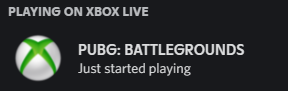
Hmm, have you made any changes? Like changed your Gamertag? If so, you'll need to do the progress again. Look at what I posted months ago except for the changing the settings part. Just do the linking part again. I changed my Gamertag during the summer and I forgot to unlink my account and since it didn't show my Xbox status. I did the whole progress again. I had the problem earlier this morning since I didn't touch my Xbox in a while, updating my Xbox console fixed the problem for me. If none of these work, I have no solution to your problem... Sorry 😔 (Just to show it's working for now.)
 0
0 -
I haven't changed anything whatosever, the only thing I've done was to reset my Xbox console (which was recommended in here) so I could get the original settings back, but that didn't fix it. My Xbox updated automatically on 2021-09-27, but that didn't fix it either. I have tried re-installing Discord, that didn't fix it either. So I don't know what's wrong and how to fix it.
1 -
I-I’m sorry if I couldn’t help you and everyone else that can’t get this to work correctly.. I feel defeated.. I thought I got the fix lol, but nah. Guess I’mnotreallyhelpful after all… 😔
0
Please sign in to leave a comment.
Comments
121 comments